If you run a restaurant, café, hotel, or beach club and your customers are not limited to local guests, offering your menu in only one language is no longer practical. When an international customer sits down at a table, the first thing they need is to understand the menu in front of them. When this is not possible, the communication gap that begins at that moment can affect the entire customer experience.
A menu written only in the local language can be a serious disadvantage for businesses operating in tourist destinations. Customers may not fully understand what they are ordering, staff members may have to explain every item, and misunderstandings can leave both the customer and the business dissatisfied.
This is where a multilingual digital menu becomes valuable. It allows businesses to manage all language versions through a single panel. In this guide, we will explain what a multilingual menu is, how it works, how it should be prepared, and why it can make such a significant difference.
What Exactly Is a Multilingual Menu?
A multilingual menu is a menu in which product names, descriptions, category titles, ingredient details, and allergen warnings are available in more than one language.
When customers open the menu, they can select their preferred language and view all the content in a format they understand.
A restaurant may choose to publish its menu in Turkish, English, German, French, Spanish, and Arabic. The languages included should be selected according to the location of the business and the profile of its customers. Not every business needs to offer the same languages.
Why Has It Become So Important?
When international customers visit a restaurant, they first want to understand what they can order.
If they see only local product names, they may have to guess what a dish contains. This can create uncertainty and lead to incorrect orders.
With a multilingual menu, customers can read the ingredients, preparation method, and product description in their own language. This helps them make decisions more quickly and allows the ordering process to move more smoothly.
There is also a less visible benefit. Offering a menu in several languages communicates that the business values international customers.
For hotels, restaurants in tourist areas, airport businesses, cafés in holiday destinations, and beach clubs, multilingual menu support has become an expected part of the service.
How Does the System Work?
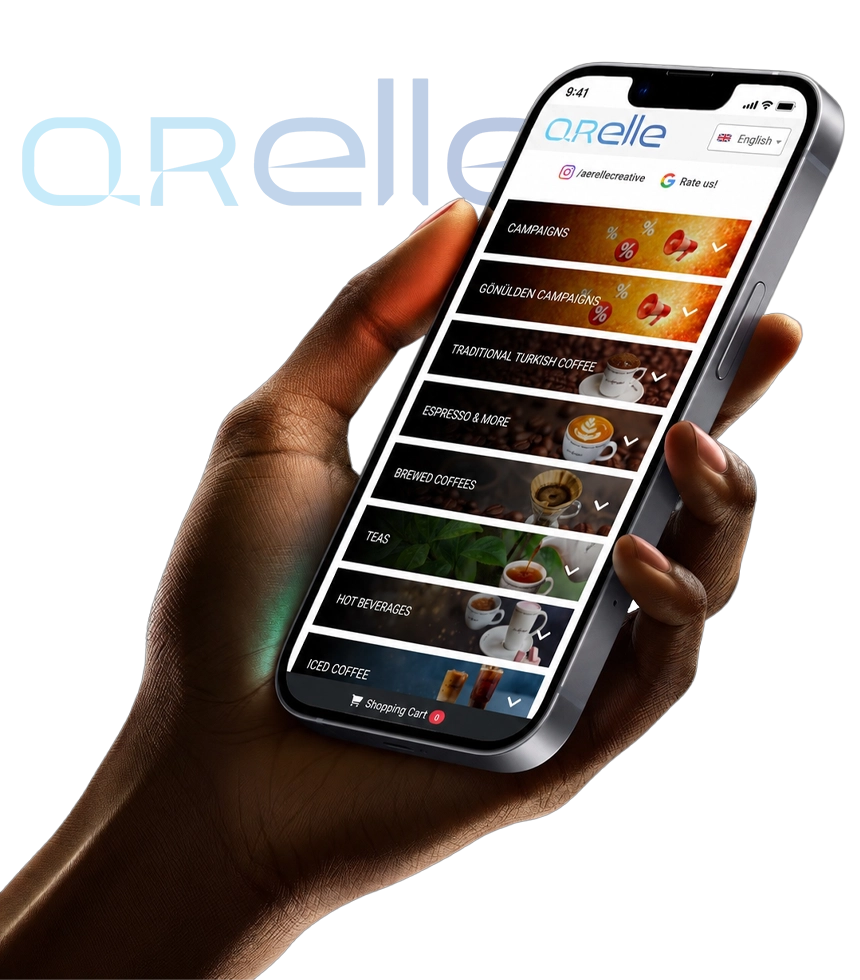
The customer scans the QR code placed on the table or elsewhere in the business. The menu opens and displays a language selection option.
Once the customer selects a language, category names, product names, descriptions, and other menu content appear in that language.
An important advantage is that a separate QR code is not required for each language. A single QR code can provide access to all available language options.
When the business owner changes a product price, the price only needs to be updated once. The new price is then displayed across all language versions.
This removes the need to create and manage a separate PDF file for each language.
What Should You Consider When Translating a Menu?
One of the most common mistakes is translating product names word for word.
When the name of a local dish is translated directly, the result may be meaningless or even amusing in the target language.
The correct approach is to focus on what the dish is, how it is prepared, and which ingredients it contains.
In some cases, the best solution is to keep the original product name and add a short explanation in the selected language.
For example, instead of listing only “mantı,” the menu could explain that it consists of small pieces of dough filled with minced meat and served with yoghurt and sauce.
This provides international customers with a much clearer idea of what they are ordering.
For regional dishes, special sauces, and traditional cooking methods, descriptions should follow the natural language and cultural expectations of the target audience. Direct translation is rarely sufficient.
Can Automatic Translation Be Trusted?
Automatic translation tools can be useful during the initial preparation process, but they should not be relied upon without review.
Food names, regional recipes, cooking terms, and especially allergen information may be translated incorrectly.
An inaccurate product description may result in a dish that does not match the customer’s expectations. Although this is inconvenient, it can usually be resolved.
An incorrect translation of allergen information may have much more serious consequences.
For this reason, automatically translated menu content should always be reviewed. Ideally, it should be checked by someone who understands the target language well.
The goal is not simply to convert words from one language into another. The goal is to ensure that the customer understands the product correctly.
Which Languages Should You Add?
The languages you choose should depend entirely on your customer profile.
Not every business needs to provide the same language options.
For businesses in tourist areas of Türkiye, English is usually the first language added. German may be important in destinations that attract many German visitors, while French may be useful for businesses with a significant number of French speaking customers.
Arabic, Russian, Spanish, Italian, and Dutch can also be added depending on the location and customer base.
However, businesses should avoid adding every available language without a clear need. It is usually more effective to begin with the languages actually spoken by customers and add more options later when necessary.
Should Only Product Names Be Translated?
No. Every element that may affect the customer’s decision should be translated.
This includes category titles, product names, descriptions, ingredient information, portion options, cooking preferences, and allergen warnings.
Labels such as vegan, vegetarian, gluten free, spicy, and alcoholic should also be displayed in a way that customers can understand easily.
The search field, buttons, notifications, and informational messages should change according to the selected language as well. This creates a more consistent and complete user experience.
How Do PDF Menus and Digital Menus Differ?
When a business uses PDF menus, creating a separate file for each language is almost unavoidable.
Turkish, English, German, and other menu versions must be designed and updated separately.
Whenever a product, price, or description changes, every file needs to be revised individually. This requires time and increases the risk of publishing inconsistent information.
Customers may also need separate links or QR codes to reach the correct language version.
With a digital menu, all languages are managed within the same system. The customer opens the menu, chooses a language, and continues browsing.
For businesses that frequently update products or serve customers from many countries, this difference is extremely valuable.
What Does a Multilingual Menu Add to the Business?
The most visible benefit is that customers understand the products more easily.
Staff members spend less time explaining menu items at the table, and the ordering process becomes faster.
When international customers can read product details in their own language, they feel more comfortable making a decision. This improves customer satisfaction and creates a more positive impression of the business.
A well translated and informative description may even encourage customers to try a local dish they have never heard of before.
What Should You Look for When Choosing a System?
Businesses should consider how many languages the system supports, how easily translations can be managed, and how simple the overall system is to use.
It should be possible to enter separate names and descriptions for each product in every language.
Customers should be able to change the language with a single action, and updates should appear immediately.
The menu should also load quickly on mobile devices and maintain its layout when the language changes.
This is particularly important for right to left languages such as Arabic. Businesses should confirm that the menu properly supports the correct text direction and page structure.
For multi location businesses, being able to manage different languages, products, and prices for each branch provides important flexibility.
In Summary
A multilingual menu is not simply an additional gesture for international customers. It directly affects service quality, accessibility, and the overall ordering experience.
Clear translations, understandable categories, accurate allergen information, and easy language selection allow customers to browse the menu with greater confidence.
With Qrelle’s multilingual digital menu system, you can publish your products in different languages, manage all translations through a single panel, and provide customers with a clearer menu experience in their preferred language.